

Find it in Darwin Experiments → Pages Open this screen ↗
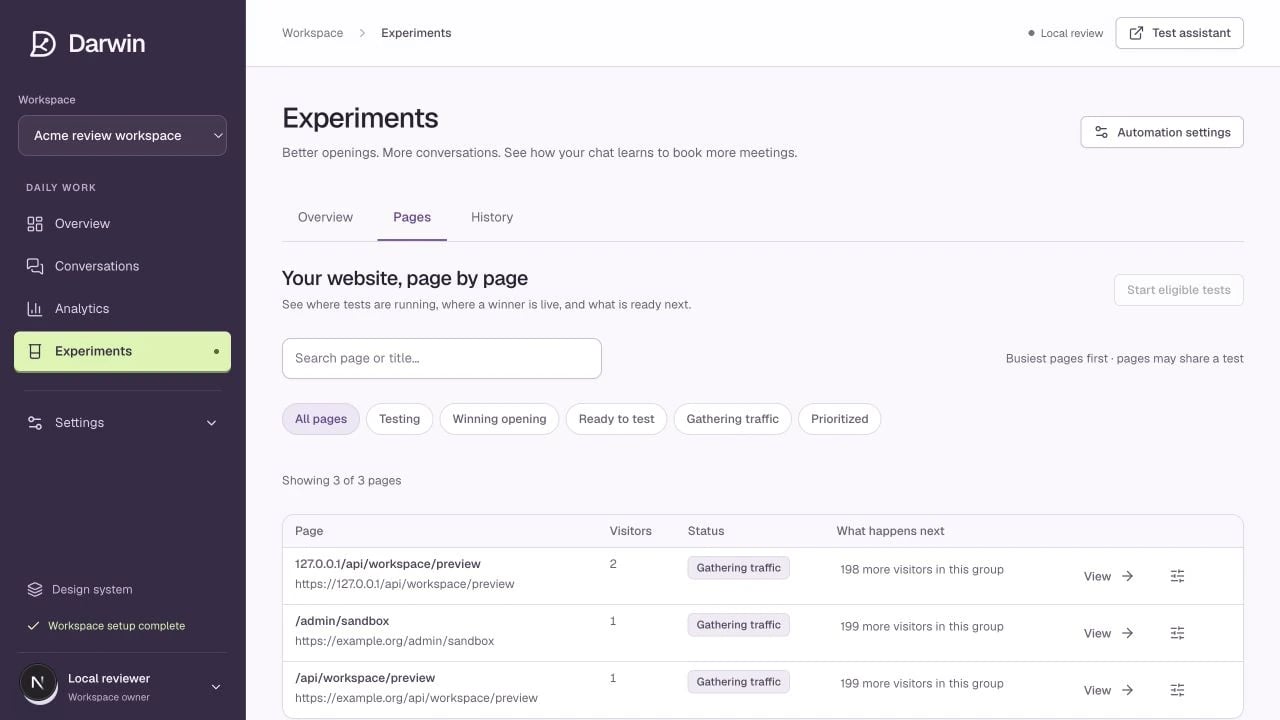
The Pages view separates testing, winning openings, and pages gathering traffic.
Screenshots use a demonstration workspace. Your data, plan, and activation status may differ.
Use the page search to find a URL or page name. The filters help answer different questions:
State filters apply to loaded results. Use Load more when available or narrow the search before assuming an unlisted page is absent.
Open a page
The page detail shows the opening visitors receive now, where that copy came from, the page’s tests, outcomes, and history. Some paths share a template group and therefore a shared opening and experiment. Review the target pattern and member pages before changing a group. The live copy can come from:- A running experiment.
- A previously promoted page opening.
- Your global default in Chat openings.