

Find it in Darwin Settings → Installation Open this screen ↗
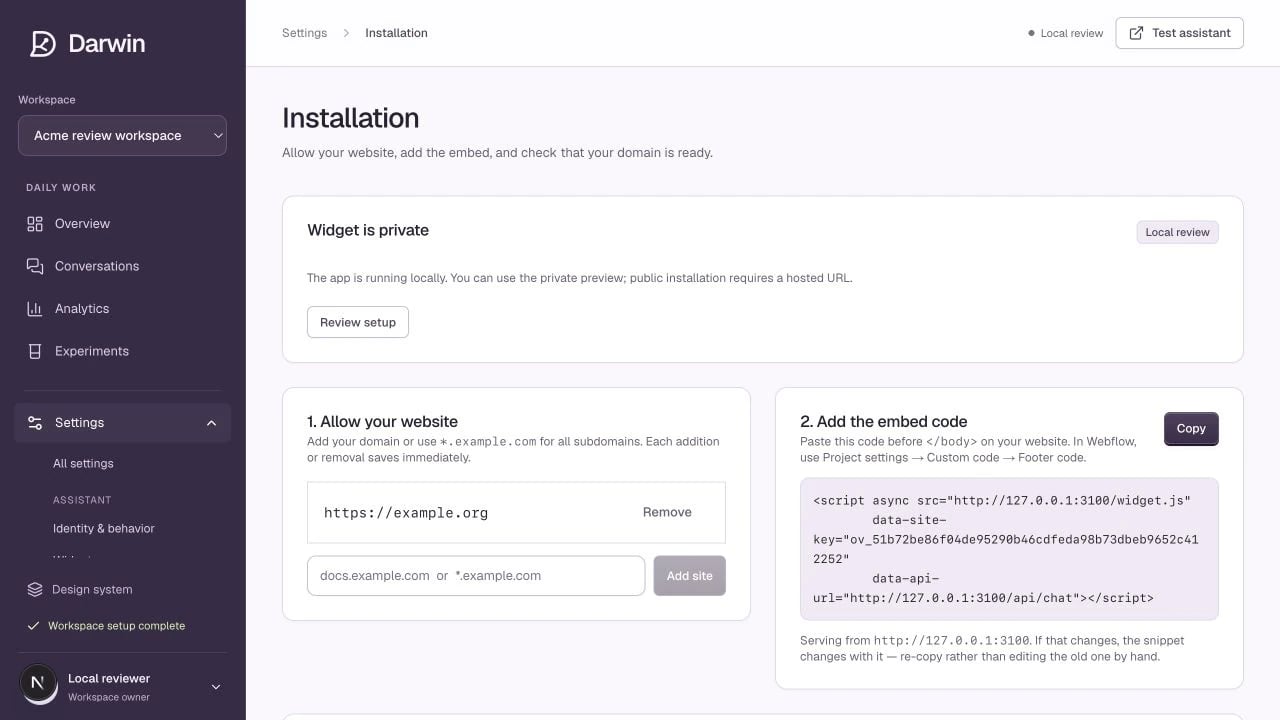
Installation keeps allowed websites and the workspace embed in one place.
Screenshots use a demonstration workspace. Your data, plan, and activation status may differ.
You need permission to edit the selected workspace and to publish code on your website. Complete the launch checklist first.1
Allow the website
Add the domain where the chat will run under Allow your website. Include the actual hostname visitors use.
www.example.com and example.com are different hosts. Use a wildcard such as *.example.com only if every matching subdomain should be allowed.Each addition or removal saves immediately. Use the domain check on this screen to confirm that the target URL is allowed.2
Copy your workspace’s embed
Copy the snippet shown in Installation. It contains your workspace’s public site key. Do not copy a snippet from another workspace or from a localhost preview.Replace the example with the exact snippet from your own account. The public site key belongs in the website; private account or API credentials do not.
3
Publish once
Place the snippet before the closing
</body> tag or in your website builder’s site-wide footer code. Install it once. Check for an older chat embed or a second copy in a tag manager before publishing.4
Verify the installation
Use Verify installation where available, then open the public website in a fresh browser session. Check the launcher, opening, response, calendar, and a mobile page.