

Find it in Darwin Settings → Identity & behavior Open this screen ↗
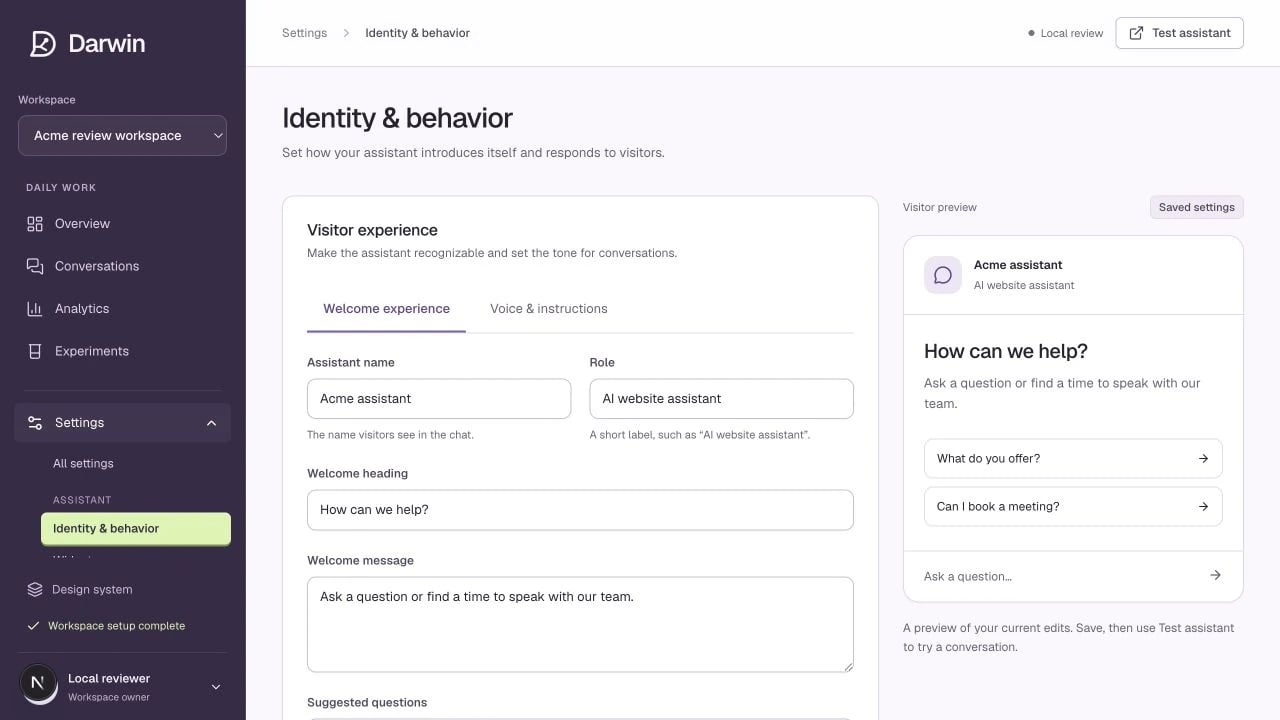
Identity and behavior separates the welcome experience from response instructions.
Screenshots use a demonstration workspace. Your data, plan, and activation status may differ.
Welcome experience
Set the Assistant name and Role visitors will see. Use a recognizable name and a clear role such as “AI website assistant.” Then edit the Welcome heading, Welcome message, and Suggested questions. Enter one suggested question per line. These fields describe the opened chat. The teaser shown before someone opens it lives in Chat openings.Voice & instructions
For example:
The advanced model identifier requires a supported provider configuration. Changing a model name alone does not connect an AI service. Leave it unchanged unless Darwin has advised you to use a specific value.