

Find it in Darwin Settings → Plan & usage Open this screen ↗
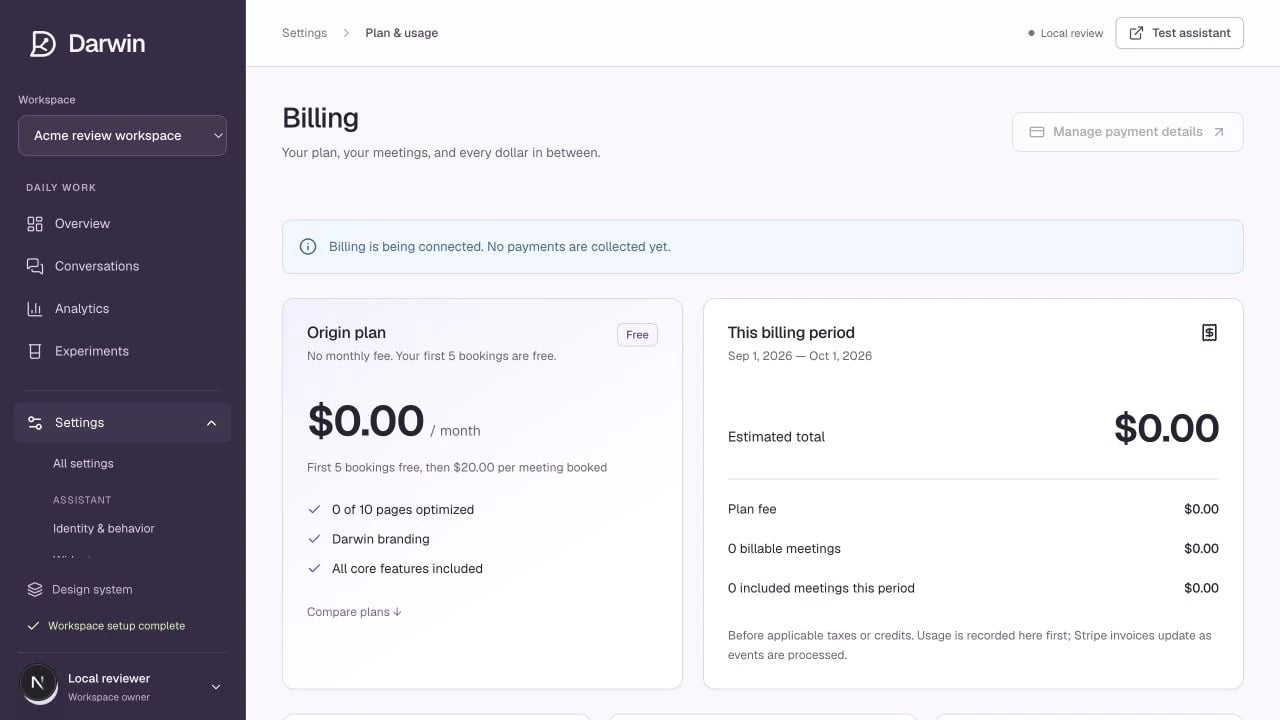
Plan and usage shows the current plan, booking allowance, estimate, and payment controls.
Screenshots use a demonstration workspace. Your data, plan, and activation status may differ.
Only a workspace owner can manage billing. Make sure you have selected the organization whose subscription you want to change.Update your card or billing details
Select Manage payment details to open the secure billing portal. Update the available payment and billing fields, then return to Darwin. If a payment needs attention, resolve it here rather than creating another account.Change plans
- Open Compare plans and choose monthly or annual billing where applicable.
- Select the desired plan.
- Review the price, included bookings, optimization allowance, and effective date.
- Confirm Schedule plan change for an existing subscription, or complete secure checkout when no subscription is active.
Cancel or resume renewal
Use Cancel renewal to stop the subscription renewing at the displayed end date. Your existing plan remains active through that date. Resume renewal reverses a scheduled cancellation before it takes effect. Canceling renewal does not erase recorded usage, refund the current period automatically, or remove an embed from your website. Review any outstanding invoices and remove the widget if you intend to stop using it.View invoices
The invoices table shows available invoices and their status. Use the invoice link or download action for the official billing document. If there are no invoices yet, billing may not have started or processing may still be underway.Billing is being connected and Stripe test mode are explicit non-live states. They do not indicate a successful production payment.