

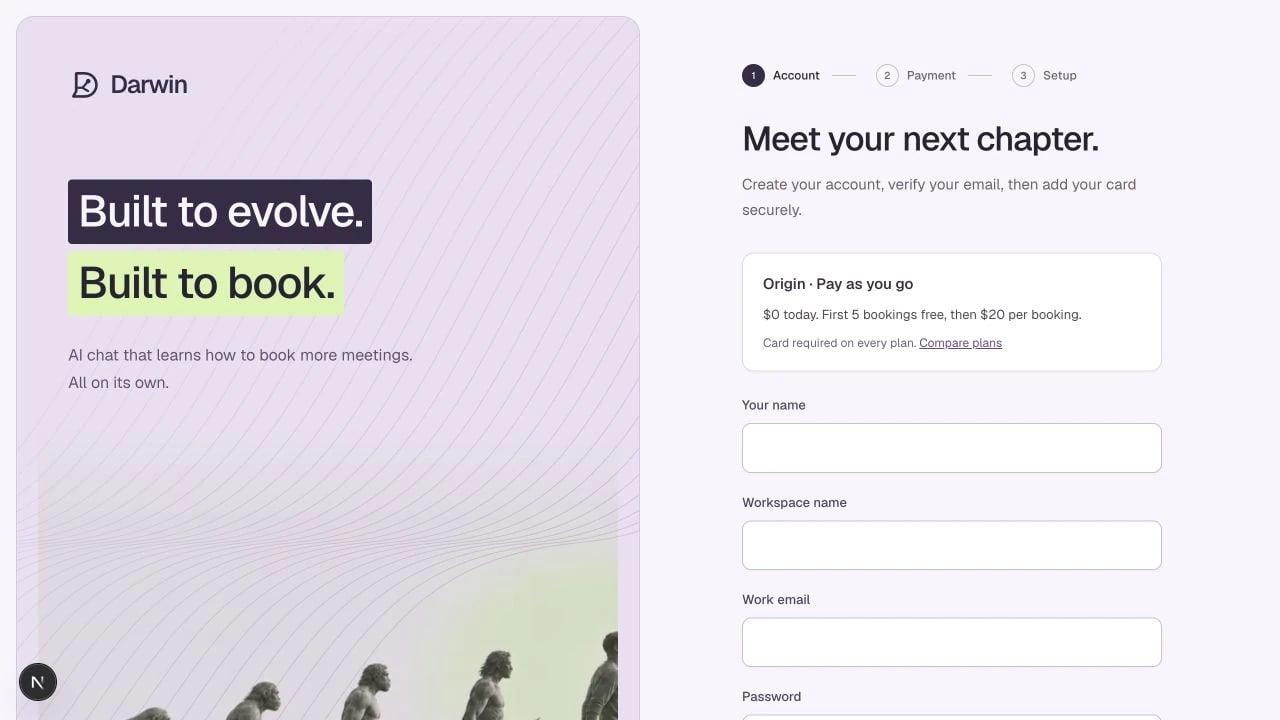
The Darwin account flow keeps your selected plan visible during signup.
Screenshots use a demonstration workspace. Your data, plan, and activation status may differ.
1
Choose where to start
Choose a plan at meetdarwin.ai/pricing. Start for free selects Origin. A paid-plan button carries your chosen plan and monthly or annual billing schedule into signup.
2
Enter your details
Complete the signup form with your name, work email, organization, and password. Use an email address you can access. If you already have an account, use Log in instead of creating a duplicate.When Continue with Google is available to your account, you can use your Google identity instead. Your selected plan is preserved. Google sign-in is currently limited to approved testers; learn about signing in.
3
Verify your email
Open the Darwin verification email and follow its link. Complete the confirmation on Darwin’s account page, then continue to payment. If the link expires, request a new verification email and use the newest message.
4
Confirm the plan and add a card
Review the plan, included bookings, optimization limit, and billing schedule. Select Confirm plan & add card to open secure checkout. Return to Darwin after completing checkout.Origin requires a card but has no monthly fee. Your workspace’s first five bookings are free; later bookings cost $20 each. Paid plans charge the base subscription fee and include a monthly booking allowance. See all plans.
5
Continue to setup
After Darwin confirms checkout, continue to the guided workspace setup. Closing checkout early or visiting a success URL does not complete payment setup.
If you cannot continue
Adding a website to your account does not install the widget or make your assistant public.