

Find it in Darwin Workspace → Overview Open this screen ↗
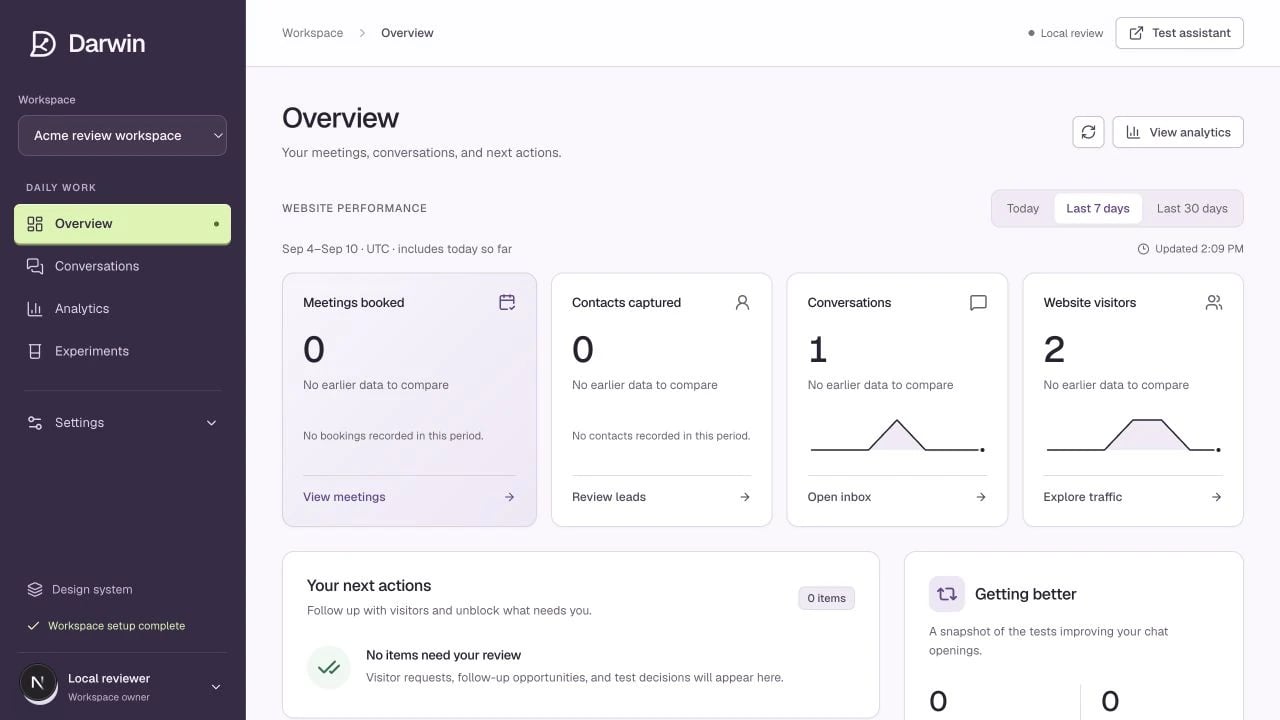
Darwin Overview with daily navigation, results, and next actions.
Screenshots use a demonstration workspace. Your data, plan, and activation status may differ.
Daily work
Settings
Expand Settings in the sidebar. All settings gives you a map of the available controls.
Use the Workspace selector to switch organizations. Check it before making changes: settings and data belong to the selected workspace. Test assistant opens a private place to check your assistant.
On a small screen, open the navigation menu to reach the same sections. A disabled control can mean your role is view-only, not that the feature is missing.