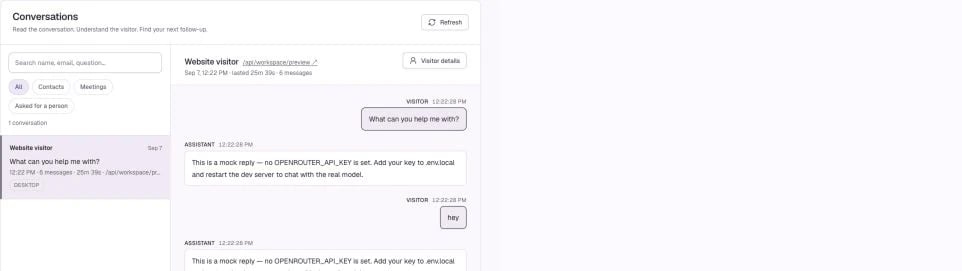
Screenshots use a demonstration workspace. Your data, plan, and activation status may differ.
Choose a filter, search the loaded list, and open a conversation. The transcript lets you review what the visitor asked and how the assistant responded; visitor context adds the page and recorded outcome where available. ## Find the right conversation Use **All**, contacts/leads, meetings, or requests for a person to focus the inbox. Search matches available names, emails, page information, and the first visitor question. It is not a full-text search of every message in every historical transcript. The list contains the most recent matching conversations, up to the current inbox limit. If a result is absent, clear the search, check the filter, and confirm the active workspace. ## Review with a purpose * Was the initial answer accurate and specific? * Did Darwin use the right product and pricing information? * Did the visitor ask for a person or express buying intent? * Was a meeting offered at a useful moment? * Did the visitor leave contact details or finish booking? Conversation analysis can help prioritize review, but a qualification score is an AI assessment. Read the transcript before treating it as a confirmed buying signal. ## What this screen does not do The current inbox is for reviewing conversations and exporting follow-up contacts. Do not assume that opening a transcript joins the visitor’s chat as a live agent or automatically sends an email sequence. [Follow up with captured contacts →](/reporting/follow-up)