> ## Documentation Index
> Fetch the complete documentation index at: https://docs.meetdarwin.ai/llms.txt
> Use this file to discover all available pages before exploring further.
# Outcomes in the chat
> How visitors open your outcome forms: the agent offers them, the form's button at the top of the chat replaces Book a meeting, a website chat button opens a form, and Book a meeting can ask qualifying questions before the calendar.
A live form reaches visitors in three ways: the agent offers it in the conversation, its button sits at the top of the chat, or a button on your own website opens it. Book a meeting can also ask its own questions before the calendar.
## When the agent offers it
When a visitor asks for what a form is for, matching your **Offer it when the visitor…** sentence, the agent says a line and opens the form in the chat. Its button, such as **Get a quote**, shows above the message box too.
The form works like this for the visitor:
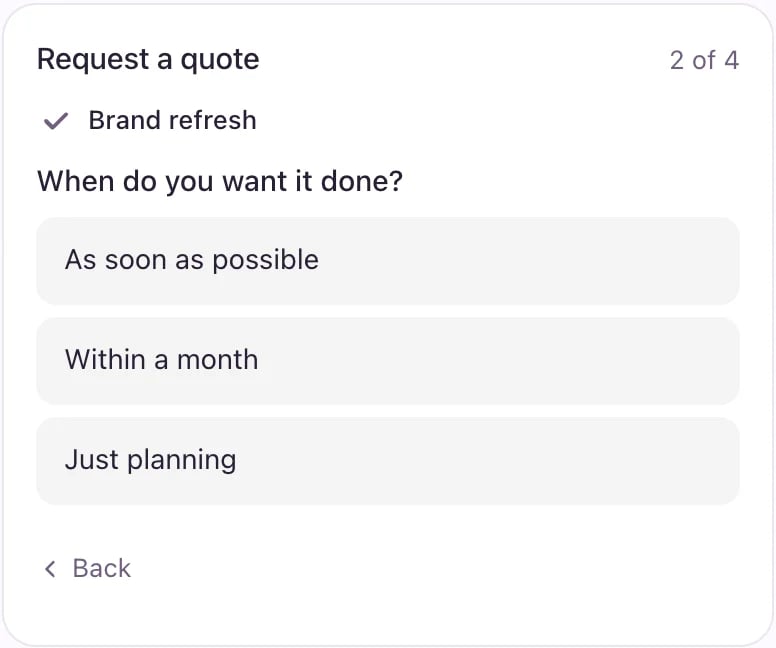
* One question shows at a time. Answered steps fold into a line at the top, and **Back** changes an answer.
* Questions the visitor already answered in the chat arrive filled in, when you let the agent fill them in.
* Name and email come last. **Send request** sends it.
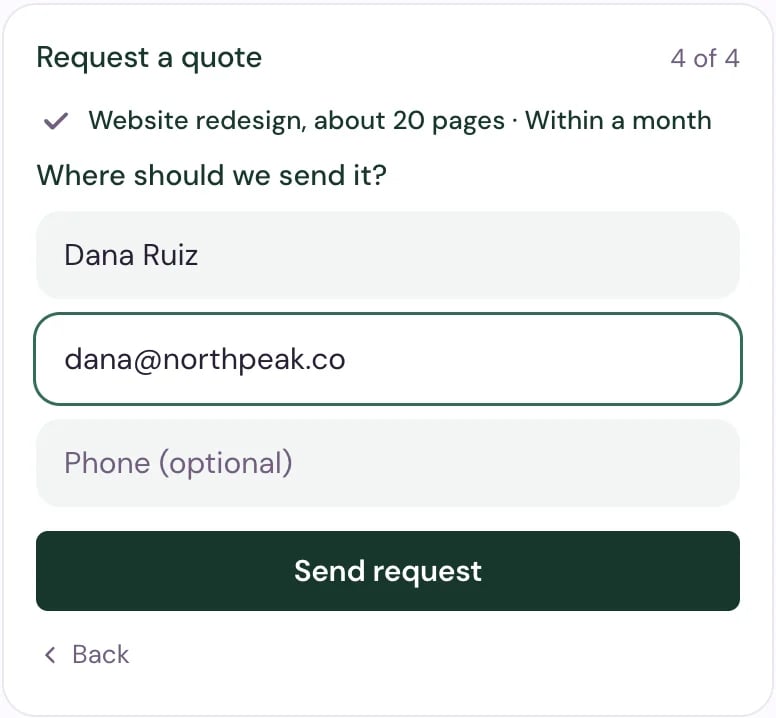 After sending, the visitor sees your thank-you message, or, if the form ends in a meeting, the next step of booking.
## Put the form at the top of the chat
Turn on **Also at the top of the chat** on a form, then **Save changes**. Its button takes the place of **Book a meeting** under your agent's name, so visitors can open the form without asking.
After sending, the visitor sees your thank-you message, or, if the form ends in a meeting, the next step of booking.
## Put the form at the top of the chat
Turn on **Also at the top of the chat** on a form, then **Save changes**. Its button takes the place of **Book a meeting** under your agent's name, so visitors can open the form without asking.
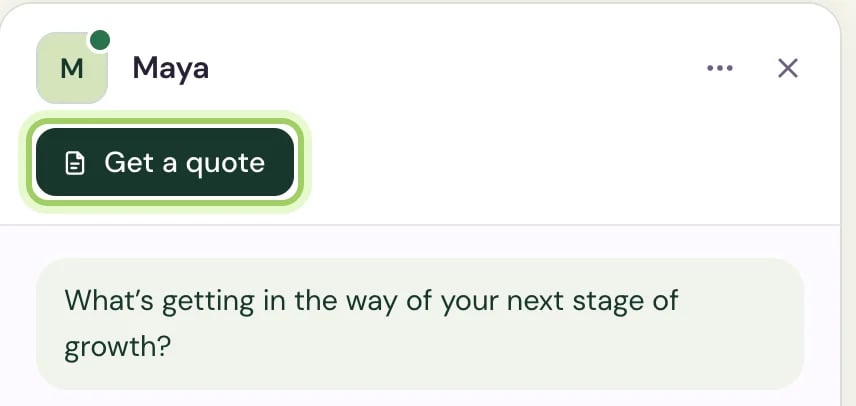 * Only one form can have this spot. Turning it on for another form and saving moves it there.
* Once the visitor has a form in the chat, the button gives way to **Book a meeting** again, if you take bookings.
## Open a form from your website
Make a chat button for your own page, such as **Get a quote** next to your prices:
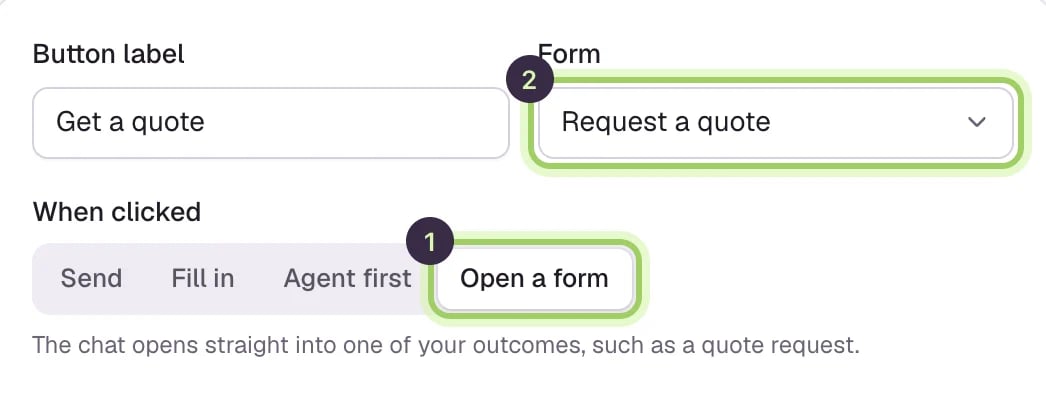
Open **Agent Studio → Buttons** and select **Add button**. Type its **Button label**.
Under **When clicked**, select **Open a form** (1), then pick the form under **Form** (2). Only live forms are listed.
* Only one form can have this spot. Turning it on for another form and saving moves it there.
* Once the visitor has a form in the chat, the button gives way to **Book a meeting** again, if you take bookings.
## Open a form from your website
Make a chat button for your own page, such as **Get a quote** next to your prices:
Open **Agent Studio → Buttons** and select **Add button**. Type its **Button label**.
Under **When clicked**, select **Open a form** (1), then pick the form under **Form** (2). Only live forms are listed.
 Select **Save changes**, copy the button's code and paste it on your page. See [Add chat buttons to your website](/assistant/chat-buttons).
A click opens the chat on that page, straight into the form.
Select **Save changes**, copy the button's code and paste it on your page. See [Add chat buttons to your website](/assistant/chat-buttons).
A click opens the chat on that page, straight into the form.
 ## Ask questions before any meeting
Book a meeting is built in. Give it questions, and every meeting request opens them first, before the calendar.
In **Agent Studio → Outcomes**, select **Book a meeting** at the top of the list.
Under **Questions before the calendar**, tap a suggestion such as **Team size**, **Budget**, **Timeline** or **What they want to solve** to add a ready-made question, or add your own. Mark the answers that rule a visitor out with **Not a fit** (marked).
## Ask questions before any meeting
Book a meeting is built in. Give it questions, and every meeting request opens them first, before the calendar.
In **Agent Studio → Outcomes**, select **Book a meeting** at the top of the list.
Under **Questions before the calendar**, tap a suggestion such as **Team size**, **Budget**, **Timeline** or **What they want to solve** to add a ready-made question, or add your own. Mark the answers that rule a visitor out with **Not a fit** (marked).
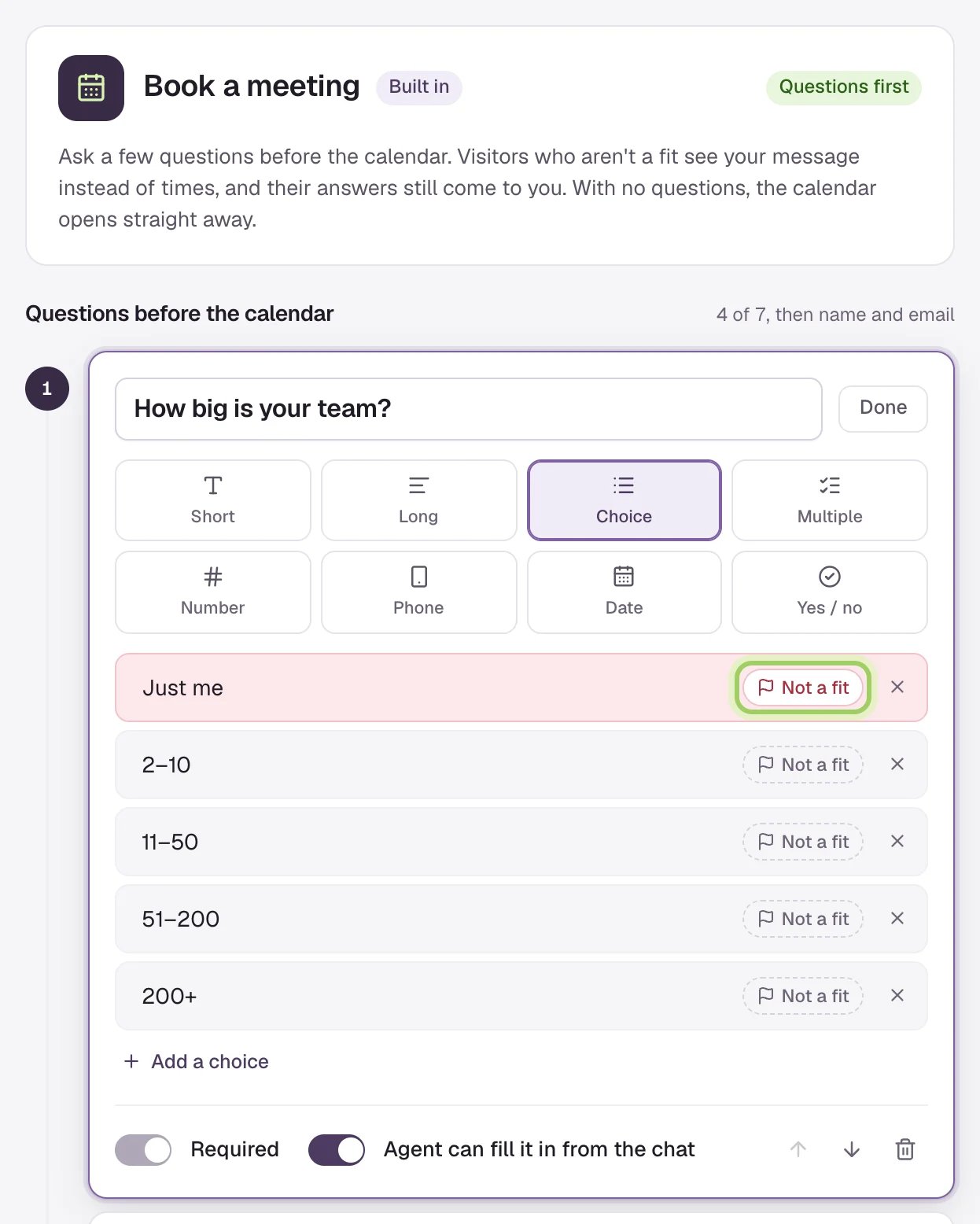 If you marked answers **Not a fit**, edit the message those visitors see under **If they're not a fit**. Then select **Save changes**. The card now says how many questions come first.
From then on, the questions open first however the visitor asks for a meeting: in the conversation, with **Book a meeting** at the top of the chat, from a chat button, or after a form that ends in a meeting. Name and email come last.
If you marked answers **Not a fit**, edit the message those visitors see under **If they're not a fit**. Then select **Save changes**. The card now says how many questions come first.
From then on, the questions open first however the visitor asks for a meeting: in the conversation, with **Book a meeting** at the top of the chat, from a chat button, or after a form that ends in a meeting. Name and email come last.
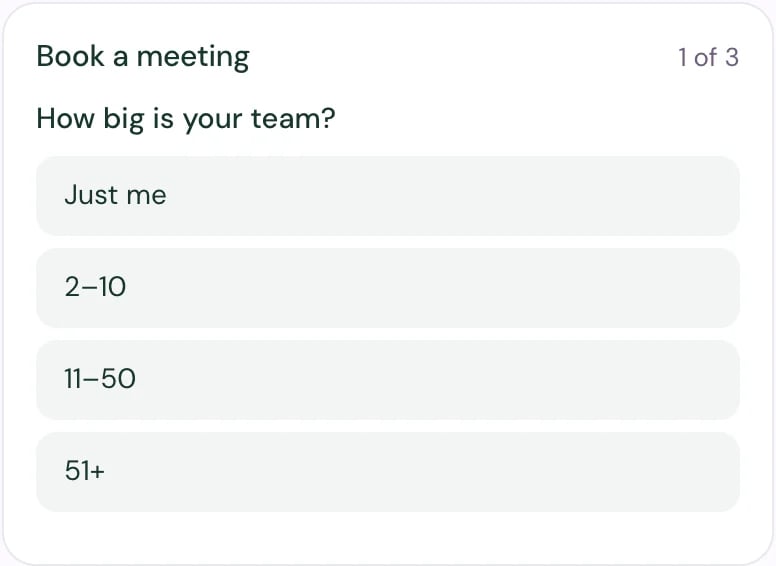 * Visitors who fit go on to the calendar.
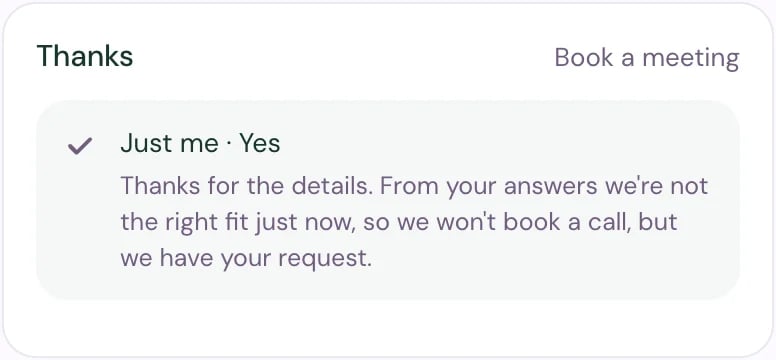
* Visitors who don't fit see your message instead of times. Their answers still come to you, marked **Not a fit**, and the agent doesn't offer them a meeting again in that chat.
* Visitors who fit go on to the calendar.
* Visitors who don't fit see your message instead of times. Their answers still come to you, marked **Not a fit**, and the agent doesn't offer them a meeting again in that chat.
 Remove every question to send visitors straight to the calendar again.
## Good to know
* The agent opens one form at a time and never asks a form's questions in plain messages.
* In [Experiments](/optimization/how-it-works), a form opening counts as the booking step, the same as the calendar opening.
* Booking needs scheduling set up. See [How meetings get booked](/assistant/scheduling).
See what visitors sent and pass it on.
Every kind of button you can put on your pages.
This documentation is built and hosted on [Mintlify](https://mintlify.com), a developer documentation platform.
Remove every question to send visitors straight to the calendar again.
## Good to know
* The agent opens one form at a time and never asks a form's questions in plain messages.
* In [Experiments](/optimization/how-it-works), a form opening counts as the booking step, the same as the calendar opening.
* Booking needs scheduling set up. See [How meetings get booked](/assistant/scheduling).
See what visitors sent and pass it on.
Every kind of button you can put on your pages.
This documentation is built and hosted on [Mintlify](https://mintlify.com), a developer documentation platform.