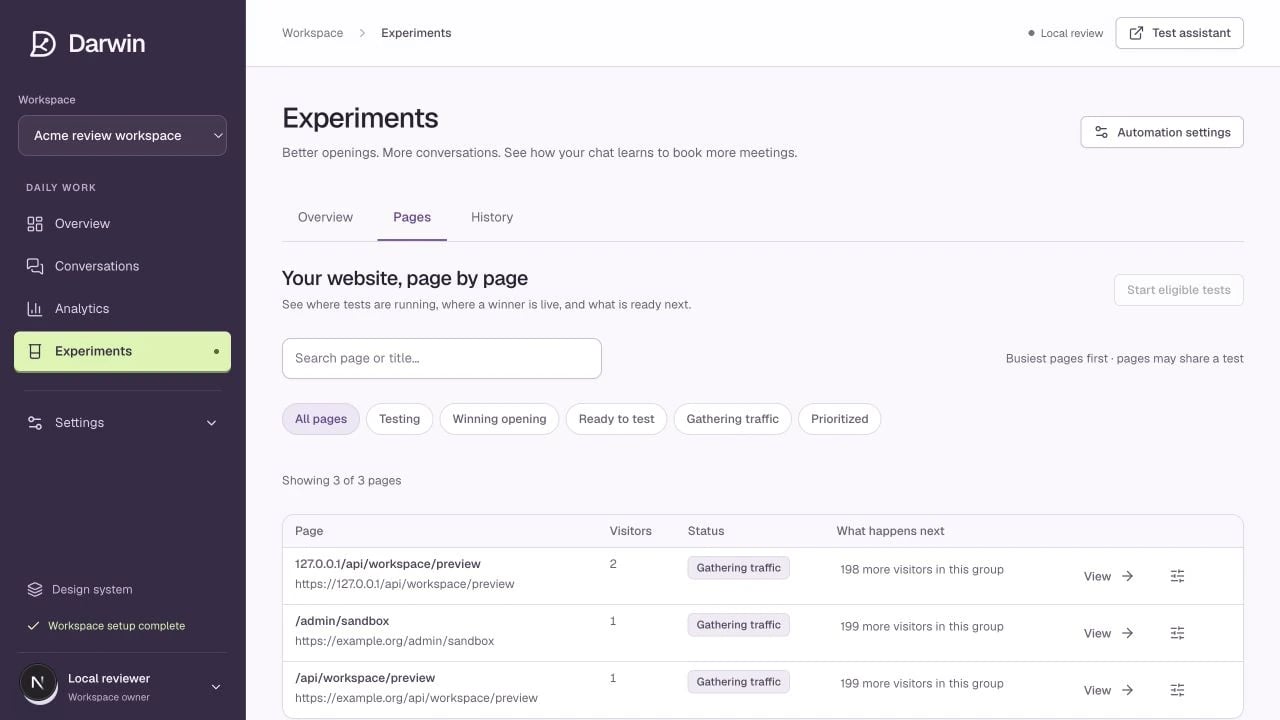
Screenshots use a demonstration workspace. Your data, plan, and activation status may differ.
Use the page search to find a URL or page name. The filters help answer different questions: | Filter | What it shows | | --------------------- | ----------------------------------------------- | | **Testing** | Pages covered by an active experiment. | | **Winning opening** | Pages with a promoted opening of their own. | | **Ready to test** | Eligible opportunities for another test. | | **Gathering traffic** | Pages still below the normal traffic threshold. | | **Prioritized** | Pages given an explicit priority override. | State filters apply to loaded results. Use **Load more** when available or narrow the search before assuming an unlisted page is absent. ## Open a page The page detail shows the opening visitors receive now, where that copy came from, the page’s tests, outcomes, and history. Some paths share a template group and therefore a shared opening and experiment. Review the target pattern and member pages before changing a group. The live copy can come from: 1. A running experiment. 2. A previously promoted page opening. 3. Your global default in **Chat openings**. ## Start or prioritize deliberately **Start a test** starts one test now. It does not permanently prioritize the page. **Prioritize page** creates an ongoing override to normal traffic and concurrency checks. It does not manufacture a statistically meaningful result or increase your plan allowance. **Reset this page’s copy** removes that page’s promoted opening and carried history so the site default applies again. Read the confirmation carefully before resetting. [Understand results and winner decisions →](/optimization/review-results)