> ## Documentation Index
> Fetch the complete documentation index at: https://docs.meetdarwin.ai/llms.txt
> Use this file to discover all available pages before exploring further.
# Step 3: Try your agent
> Setting up on your own: ask your agent questions in the Agent Studio preview, then follow the four-part Setup tour through Knowledge, Messages and Appearance. Finishing the tour completes Try your agent on Home.
Before visitors see your agent, talk to it yourself. Agent Studio's preview is the real chat, and a short **Setup tour** walks you through the three tabs worth checking.
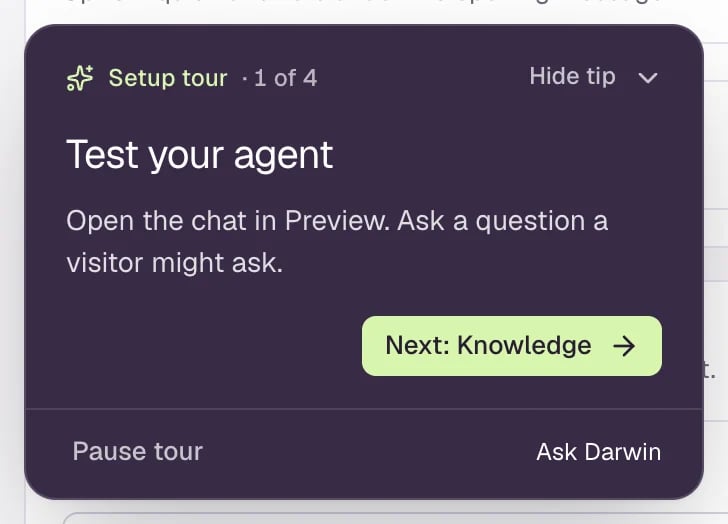 Open **Agent Studio** and select **Start setup tour**. If you've started before, it says **Resume setup tour**.
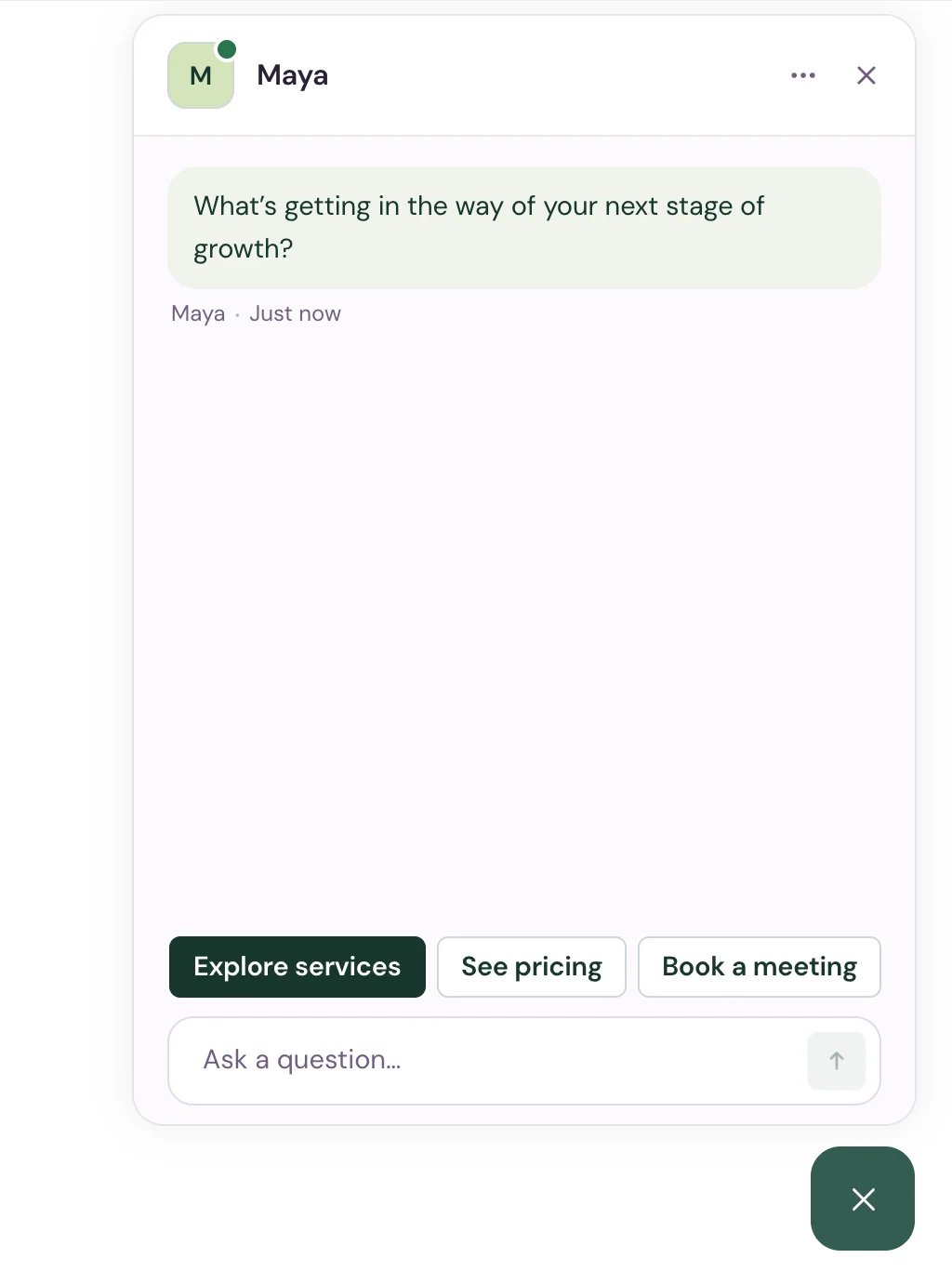
In the preview, select the chat button and ask what a real visitor would: what you do, what it costs, whether you fit their case, how to book. Then select **Next: Knowledge**.
Open **Agent Studio** and select **Start setup tour**. If you've started before, it says **Resume setup tour**.
In the preview, select the chat button and ask what a real visitor would: what you do, what it costs, whether you fit their case, how to book. Then select **Next: Knowledge**.
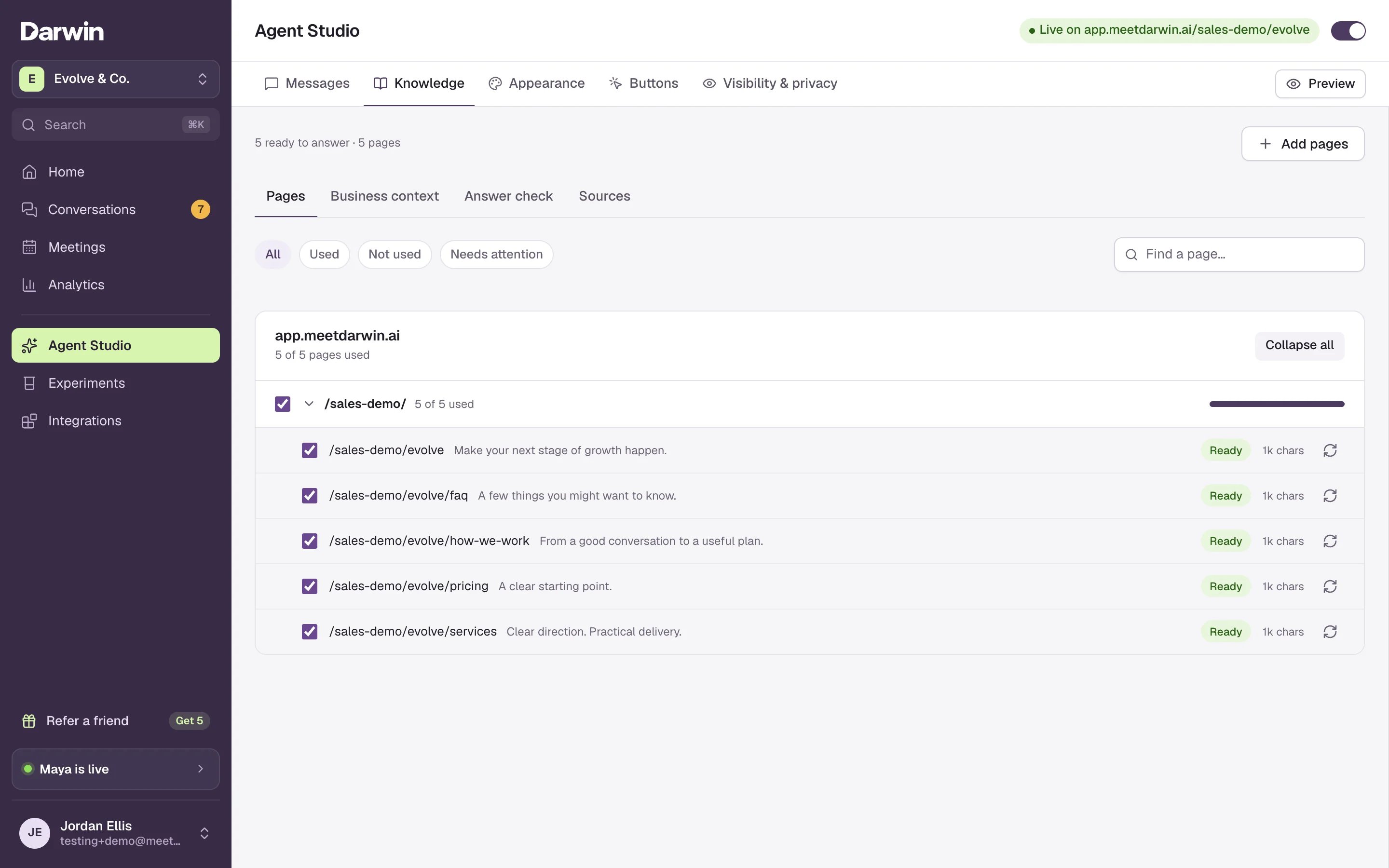
 **Knowledge** lists the pages Darwin read from your website. If an answer was wrong or missing, add the page that has the facts, or add them under business context. Then select **Next: Messages**.
 Check the name, voice and opening line you set in [step 1](/getting-started/own-agent). Then select **Next: Appearance**.
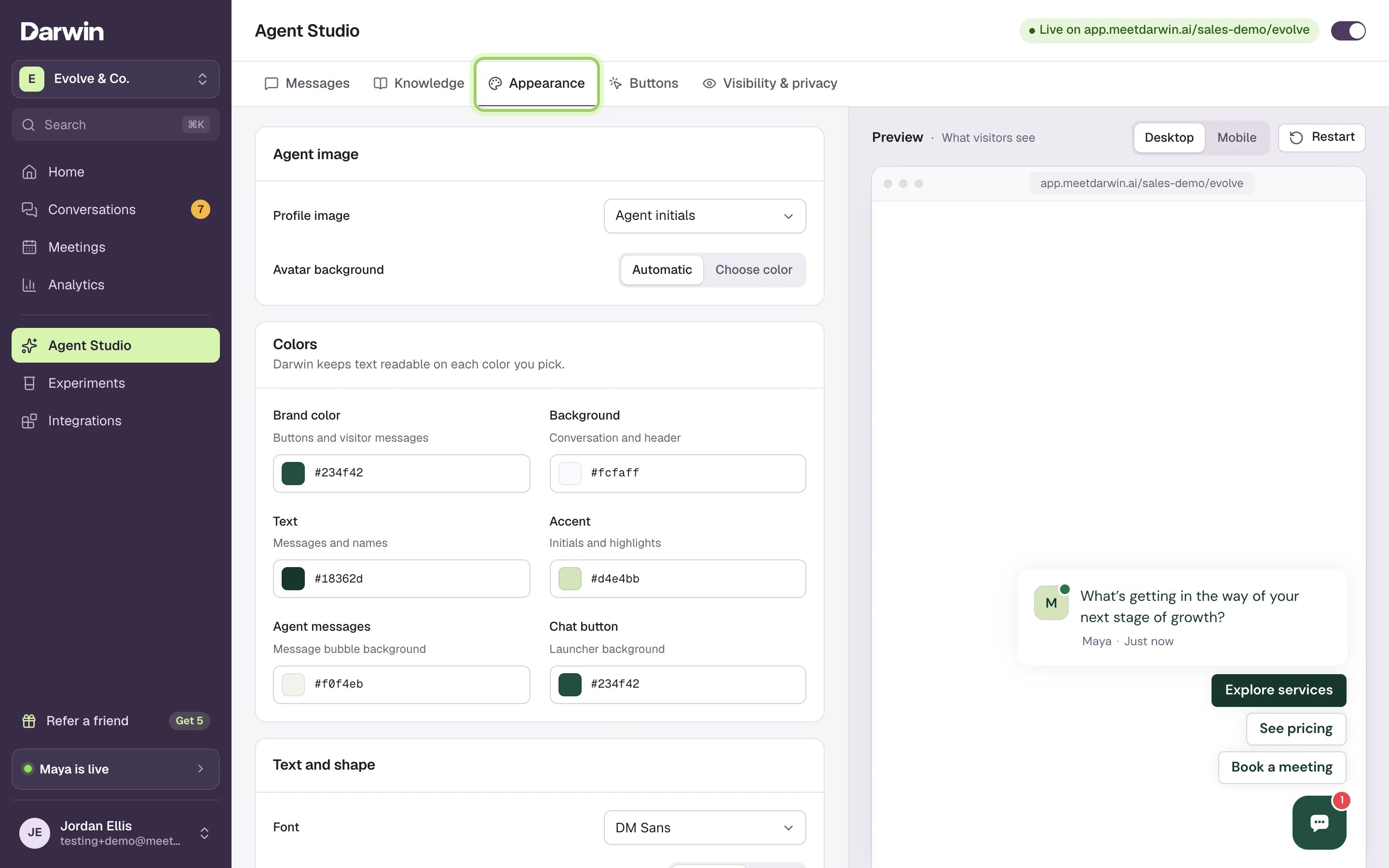
Set the chat's colors, font and corners to match your website, and save. Then select **Finish tour**.
Check the name, voice and opening line you set in [step 1](/getting-started/own-agent). Then select **Next: Appearance**.
Set the chat's colors, font and corners to match your website, and save. Then select **Finish tour**.
 ## Good to know
* **Finish tour** needs at least one real reply in the preview, so ask a question before you finish.
* The tour is optional. You can go live without it, but testing first is the best way to catch a wrong answer.
* **Pause tour** keeps your place, and **Resume setup tour** picks it up again.
* The refresh icon in the preview's address bar starts a fresh chat. More in [Test your agent](/assistant/test-assistant).
A guide for each kind of website.
All five steps.
This documentation is built and hosted on [Mintlify](https://mintlify.com), a developer documentation platform.
## Good to know
* **Finish tour** needs at least one real reply in the preview, so ask a question before you finish.
* The tour is optional. You can go live without it, but testing first is the best way to catch a wrong answer.
* **Pause tour** keeps your place, and **Resume setup tour** picks it up again.
* The refresh icon in the preview's address bar starts a fresh chat. More in [Test your agent](/assistant/test-assistant).
A guide for each kind of website.
All five steps.
This documentation is built and hosted on [Mintlify](https://mintlify.com), a developer documentation platform.