> ## Documentation Index
> Fetch the complete documentation index at: https://docs.meetdarwin.ai/llms.txt
> Use this file to discover all available pages before exploring further.
# Set up Darwin on your own
> Home → Get Darwin live without the setup chat: the five steps (Assistant, Scheduling, Try your agent, Connect your website, Go live), where each one is done, and a guide for each.
You don't need the setup chat to get Darwin live. Close it with the **×** at its top right, then work through the five steps on Home. Each step is done on a normal Darwin screen, and Home ticks it off when it's done.
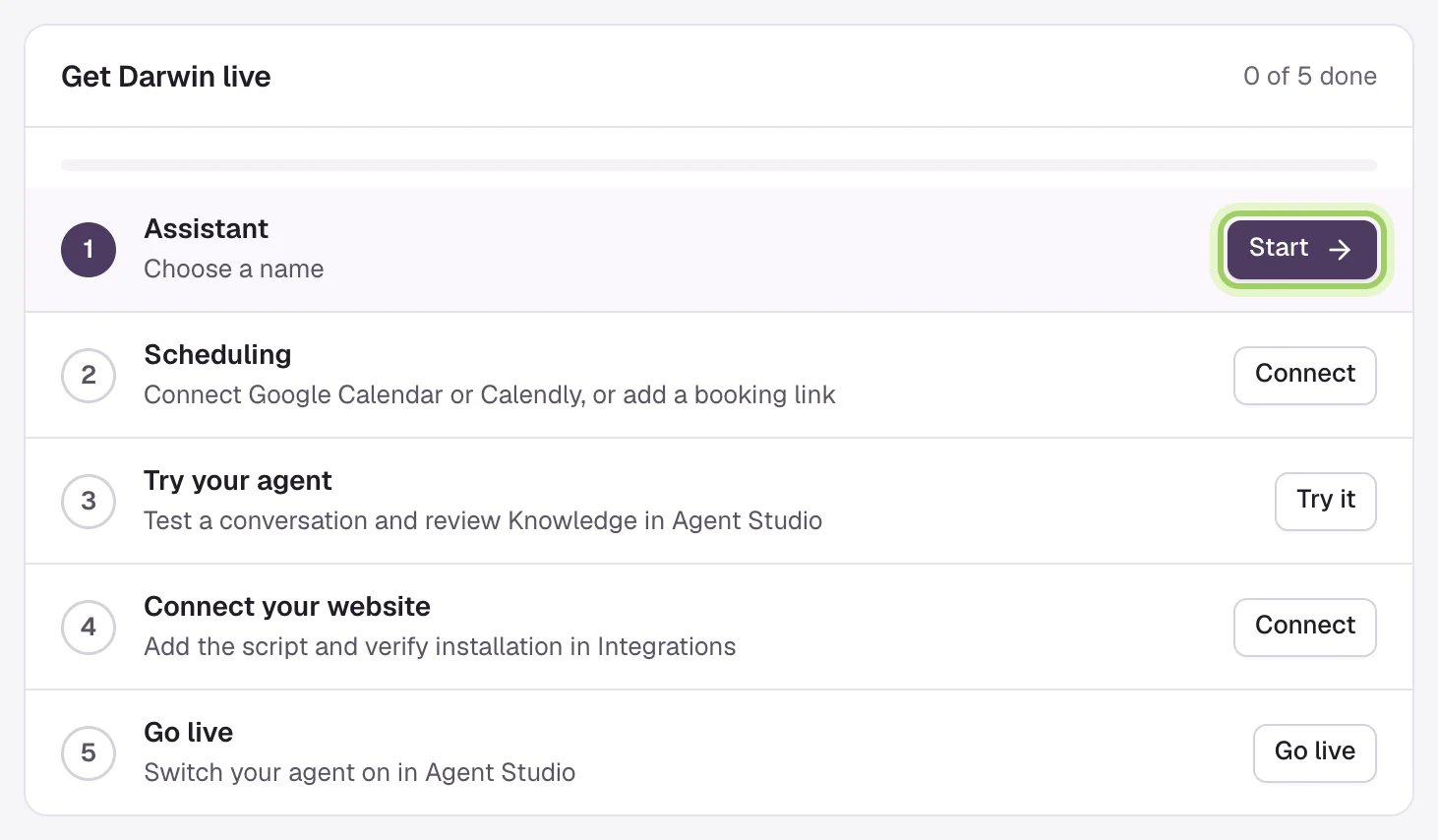 Name your agent, pick its voice and write the opening line in **Agent Studio → Messages**. [Step 1 guide](/getting-started/own-agent)
Connect Google Calendar, Calendly or RevenueHero in **Integrations**, so visitors can book in the chat. [Step 2 guide](/getting-started/own-calendar)
Ask your agent a few questions in Agent Studio's preview, with an optional four-part setup tour. [Step 3 guide](/getting-started/own-try)
Add Darwin's site tag to your website, or connect Webflow. There's a guide for each kind of website. [Step 4 guide](/getting-started/own-website)
Turn on **Turn your agent live** in Agent Studio. [Step 5 guide](/getting-started/own-go-live)
## Good to know
* Home's **Start** button on **Assistant** opens the setup chat. To skip the chat, open **Agent Studio** from the sidebar instead.
* You can do steps 2 to 4 in any order. **Go live** needs the others done first.
* Stuck on a step? Select **Ask Darwin** on Home, or email [support@meetdarwin.ai](mailto:support@meetdarwin.ai).
Name, voice and opening line in Agent Studio.
Prefer to do it in chat? Darwin walks you through.
This documentation is built and hosted on [Mintlify](https://mintlify.com), a developer documentation platform.
Name your agent, pick its voice and write the opening line in **Agent Studio → Messages**. [Step 1 guide](/getting-started/own-agent)
Connect Google Calendar, Calendly or RevenueHero in **Integrations**, so visitors can book in the chat. [Step 2 guide](/getting-started/own-calendar)
Ask your agent a few questions in Agent Studio's preview, with an optional four-part setup tour. [Step 3 guide](/getting-started/own-try)
Add Darwin's site tag to your website, or connect Webflow. There's a guide for each kind of website. [Step 4 guide](/getting-started/own-website)
Turn on **Turn your agent live** in Agent Studio. [Step 5 guide](/getting-started/own-go-live)
## Good to know
* Home's **Start** button on **Assistant** opens the setup chat. To skip the chat, open **Agent Studio** from the sidebar instead.
* You can do steps 2 to 4 in any order. **Go live** needs the others done first.
* Stuck on a step? Select **Ask Darwin** on Home, or email [support@meetdarwin.ai](mailto:support@meetdarwin.ai).
Name, voice and opening line in Agent Studio.
Prefer to do it in chat? Darwin walks you through.
This documentation is built and hosted on [Mintlify](https://mintlify.com), a developer documentation platform.