> ## Documentation Index
> Fetch the complete documentation index at: https://docs.meetdarwin.ai/llms.txt
> Use this file to discover all available pages before exploring further.
# Visibility and privacy
> Agent Studio → Visibility & privacy: choose the domains where Darwin's chat runs, hide the opening message on certain pages, and add a consent line with a link to your privacy policy.
This tab controls where the chat runs, where the opening message stays hidden, and the privacy line visitors see.
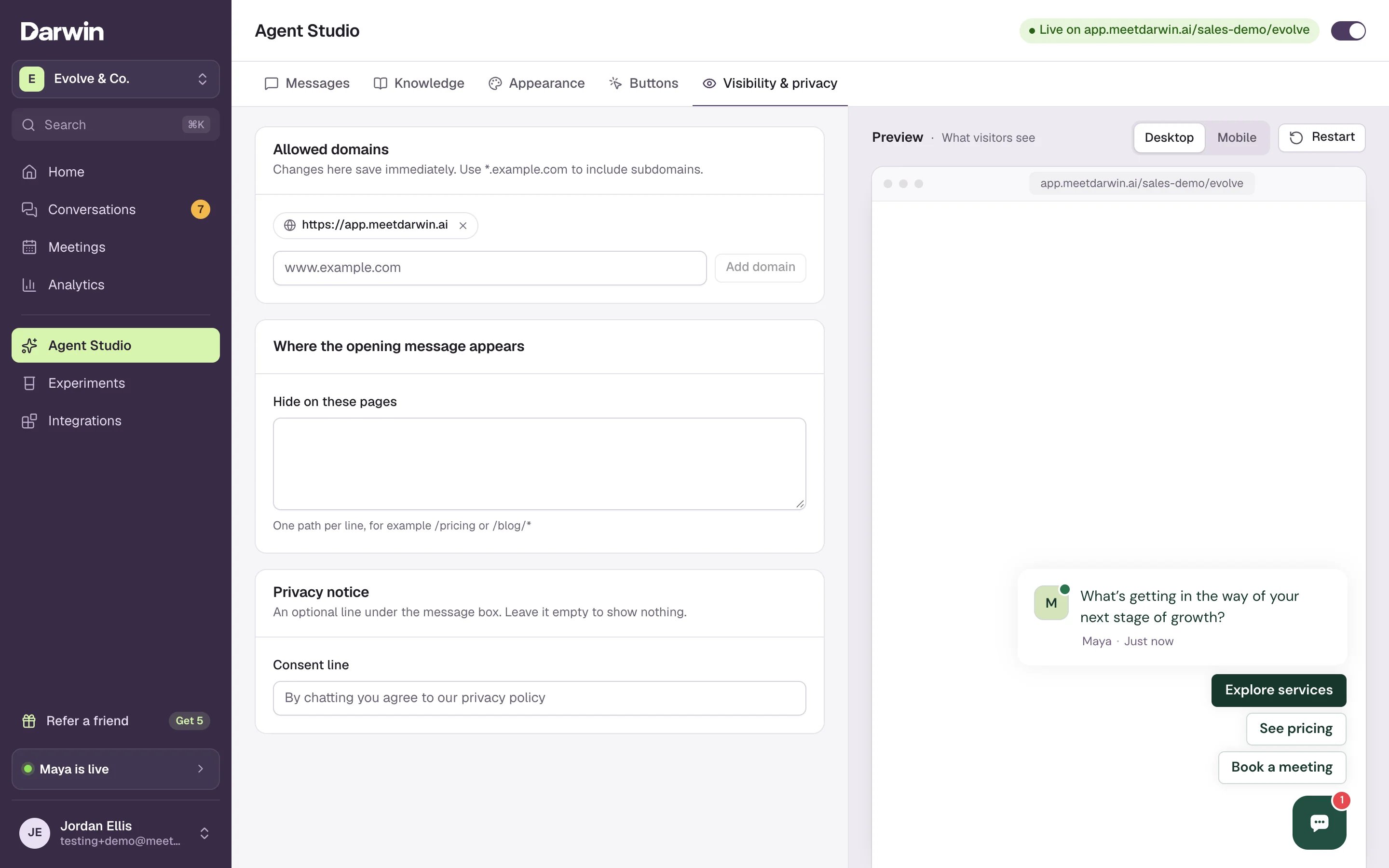 Under **Allowed domains**, type a domain (1), such as `www.example.com`, and select **Add domain** (2). The chat only runs on the domains listed here. Use `*.example.com` to include every subdomain.
These changes save as soon as you add or remove a domain, without **Save changes**.
Under **Allowed domains**, type a domain (1), such as `www.example.com`, and select **Add domain** (2). The chat only runs on the domains listed here. Use `*.example.com` to include every subdomain.
These changes save as soon as you add or remove a domain, without **Save changes**.
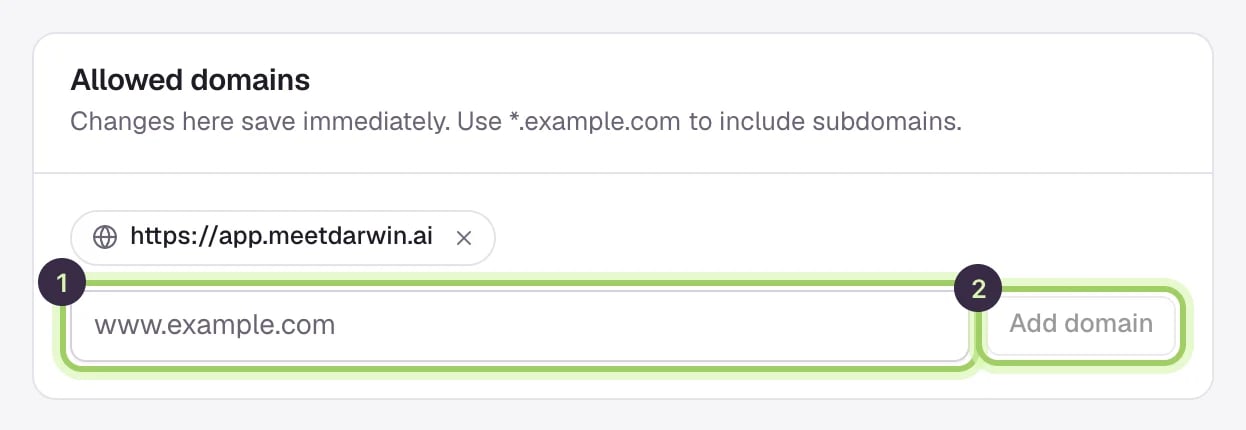 Under **Where the opening message appears**, list the pages where the opening message should not show in **Hide on these pages**, one path per line. `/pricing` hides it on that page only; `/blog/*` hides it on every page under `/blog`. The chat button still shows on those pages.
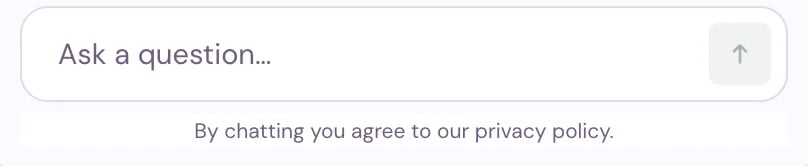
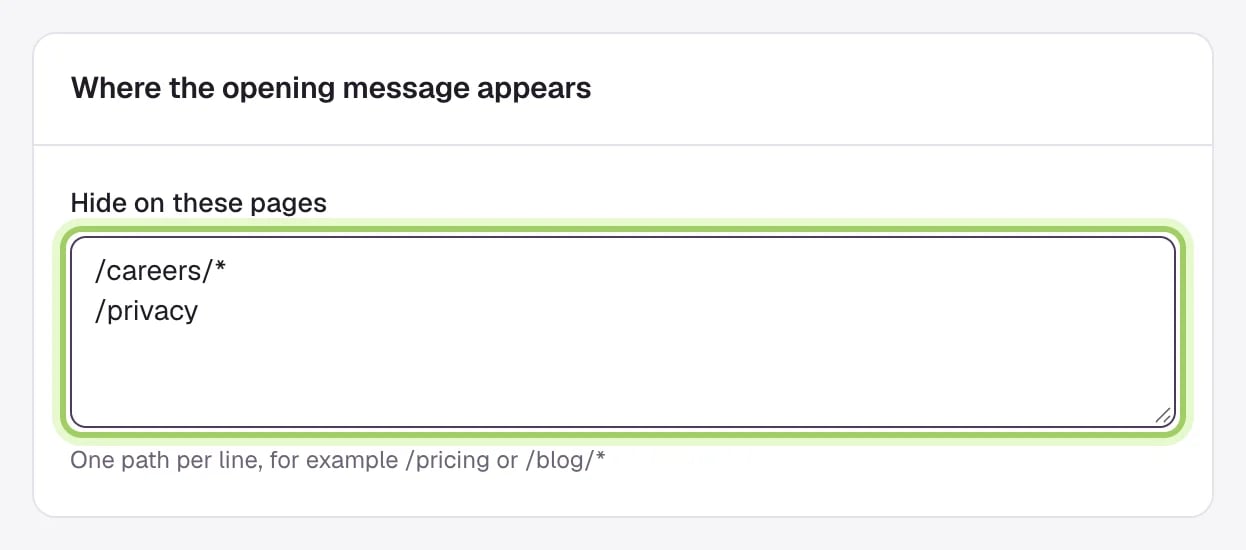 Under **Privacy notice**, type a **Consent line** (1). Once it has text, add the **Link to your privacy policy** (2). Leave the consent line empty to show nothing.
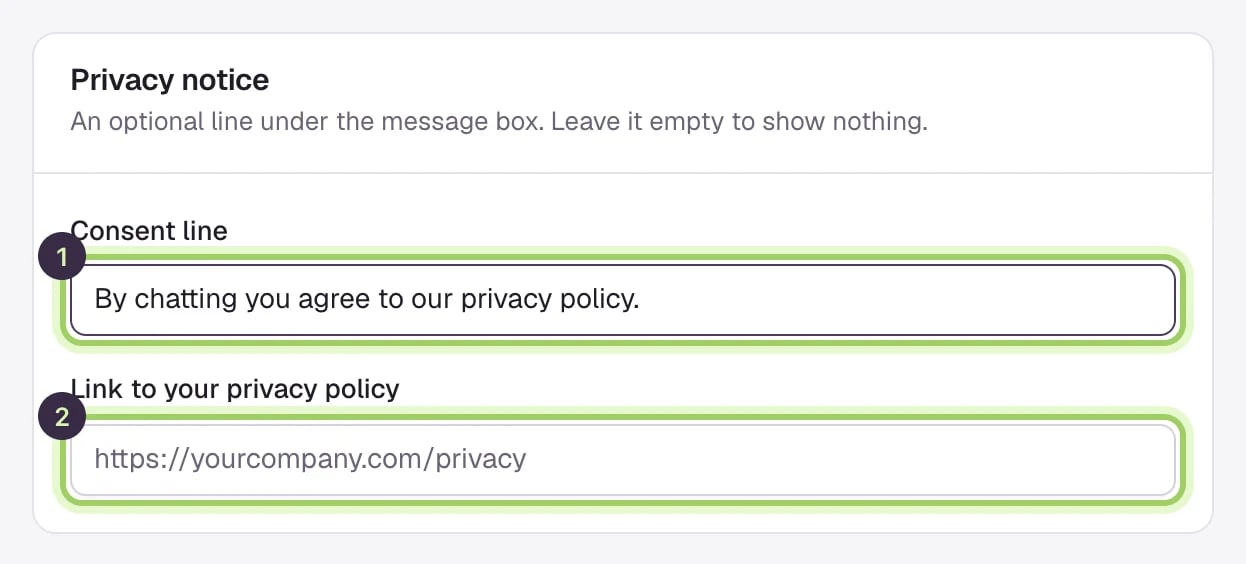 The line appears under the message box in the chat.
 Select **Save changes** to publish the hidden pages and the privacy notice. **Discard** goes back to what is saved.
 ## Good to know
* `*.example.com` covers subdomains only. To include `example.com` itself, add it too. `www.example.com` and `example.com` are separate entries.
* Removing a domain stops the chat answering there as soon as it saves.
* Paths are not case-sensitive, and a pasted full address works as well as a path.
* If the opening message is switched off on the [Messages](/assistant/identity-and-behavior) tab, the hidden pages apply when you turn it back on.
Write the opening message and reply buttons.
What to check when the chat doesn't appear on your site.
This documentation is built and hosted on [Mintlify](https://mintlify.com), a developer documentation platform.
## Good to know
* `*.example.com` covers subdomains only. To include `example.com` itself, add it too. `www.example.com` and `example.com` are separate entries.
* Removing a domain stops the chat answering there as soon as it saves.
* Paths are not case-sensitive, and a pasted full address works as well as a path.
* If the opening message is switched off on the [Messages](/assistant/identity-and-behavior) tab, the hidden pages apply when you turn it back on.
Write the opening message and reply buttons.
What to check when the chat doesn't appear on your site.
This documentation is built and hosted on [Mintlify](https://mintlify.com), a developer documentation platform.