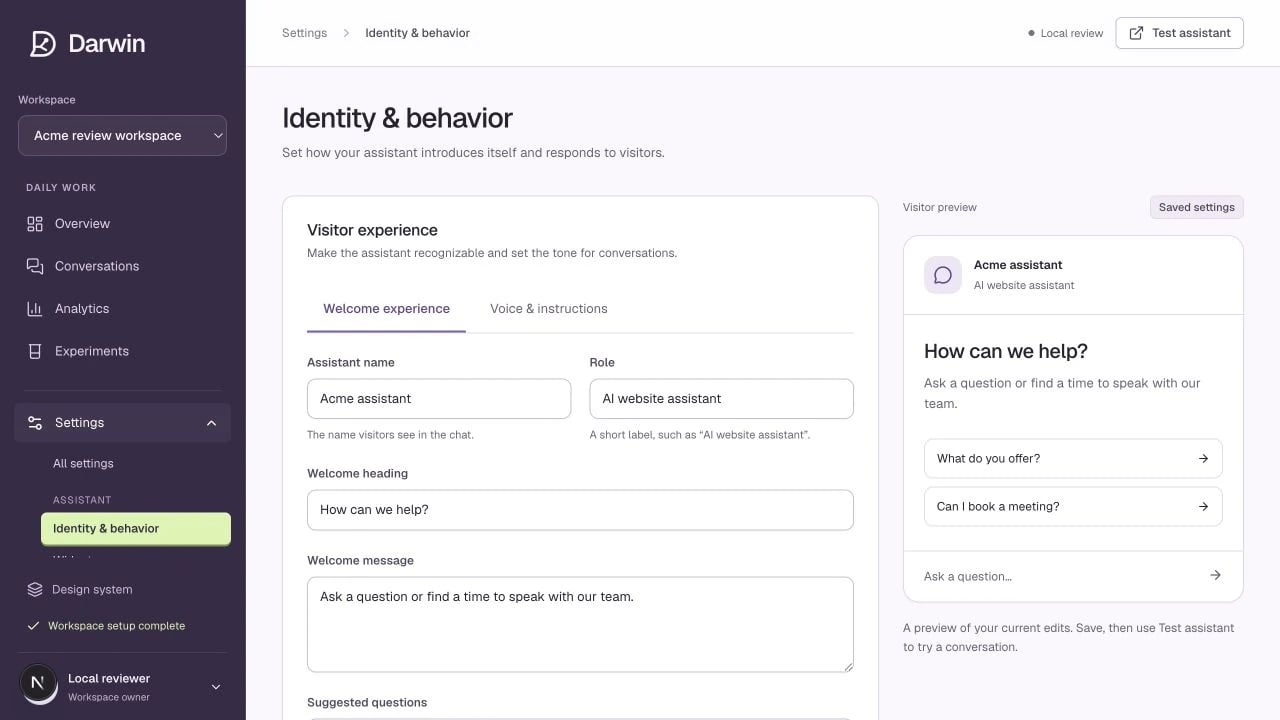
Screenshots use a demonstration workspace. Your data, plan, and activation status may differ.
## Welcome experience Set the **Assistant name** and **Role** visitors will see. Use a recognizable name and a clear role such as “AI website assistant.” Then edit the **Welcome heading**, **Welcome message**, and **Suggested questions**. Enter one suggested question per line. These fields describe the opened chat. The teaser shown before someone opens it lives in [Chat openings](/assistant/chat-openings). ## Voice & instructions | Field | What belongs here | | ------------------------- | -------------------------------------------------------------- | | **Purpose** | The job the assistant should help visitors complete. | | **Voice & tone** | How answers should sound: concise, warm, direct, or technical. | | **Response instructions** | How to handle common situations and offer a useful next step. | | **Guardrails** | Claims to avoid, limits to explain, and requests to decline. | For example: ```text theme={null} Give a direct answer first. Use our knowledge sources for product facts. Ask one follow-up question when it would clarify fit. If the visitor wants to talk to sales, offer a meeting. Do not invent pricing, implementation timelines, or unsupported integrations. When information is missing, say so clearly. ``` Select **Save changes** before testing. **Discard changes** returns the form to its last saved values.