> ## Documentation Index
> Fetch the complete documentation index at: https://docs.meetdarwin.ai/llms.txt
> Use this file to discover all available pages before exploring further.
# Invite your team
> Give teammates the access they need in the correct workspace.
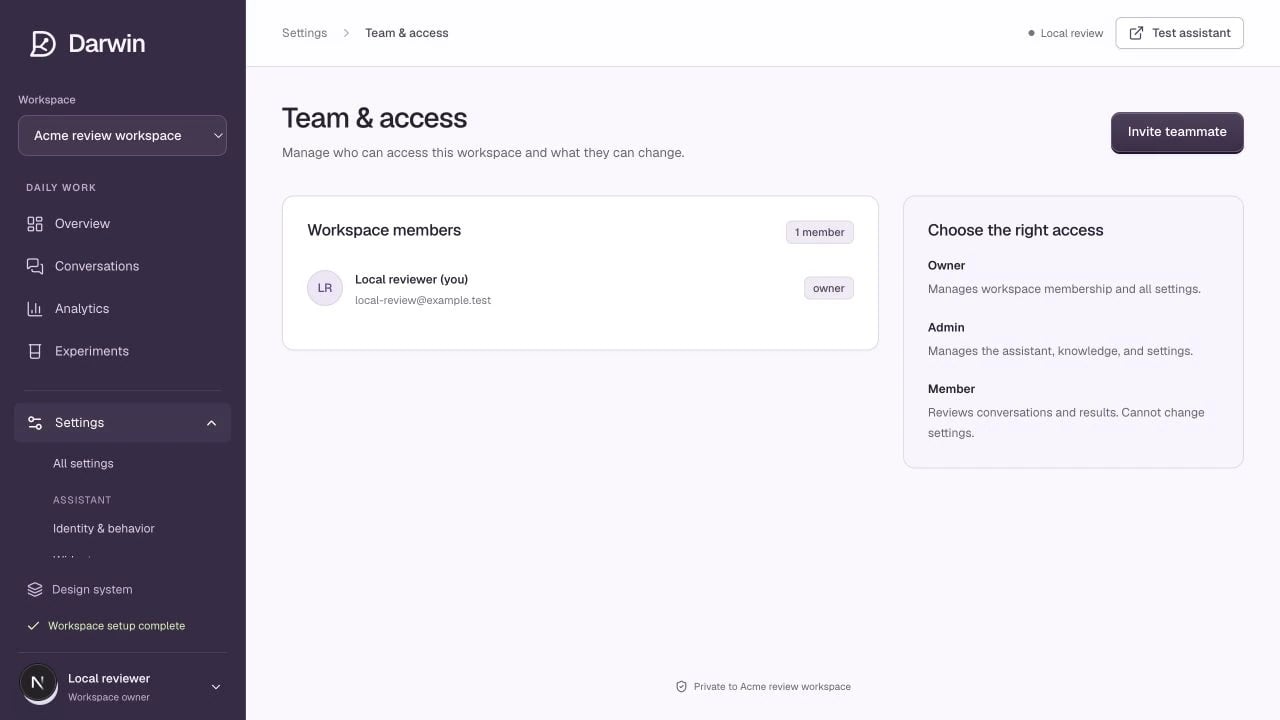
Screenshots use a demonstration workspace. Your data, plan, and activation status may differ.
## Roles
| Permission | Owner | Admin | Member |
| ------------------------------------------------------- | ----- | ----- | ------ |
| Review conversations and results | Yes | Yes | Yes |
| Change assistant, knowledge, appearance, and automation | Yes | Yes | No |
| Invite or remove teammates | Yes | No | No |
| Manage billing and plan changes | Yes | No | No |
## Invite a teammate
As an owner, select **Invite teammate**, enter the person’s email address, and choose **Member** or **Admin**. Select **Create invitation link**.
Copy the generated link and send it privately to that teammate. Darwin explicitly shows that no invitation email has been sent; creating the link does not send one automatically.
The recipient must sign in with the invited email address. The invitation expires after seven days. If it has expired or the email is wrong, create a new invitation for the correct address.
## Remove access
An owner can select **Remove** beside a non-owner, then **Confirm removal**. This removes access to the selected workspace. It does not delete the person’s entire account or other workspace memberships.
The current team screen does not offer owner transfer or an in-place role editor. Do not share an owner password as a workaround. [Get help](/help/contact) if the available role controls do not meet your needs.